
Every click, cart, and review in your online store tells a story about what buyers are looking for. Most of the Shopify merchants collect this data daily. But how many of them are using that data to increase sales? Well, sadly, many aren’t.
The gap is rarely about tools. Instead, what’s crucial is knowing which signals matter and how to act on them.
The Secomapp team builds practical Shopify apps to help merchants grow order value, rank higher, and earn shoppers’ trust. In the world of data, the brands that use customer data to guide daily decisions grow fastest.
Continue reading to find out how to use customer data to increase sales and improve shopping experiences. Discover real examples, expert insights, and simple action tips you can apply this week.
What Customer Data Means for a Shopify Store
Customer data is the information that shows who your customers are and how they behave. For a Shopify store, it falls into one of the four groups. Each group answers a different question about your buyers. When you combine them, you get a clear view of intent, value, and satisfaction.
| Data Type | What It Tells You | Where You Find It |
| Behavioral | What shoppers browse and click | Shopify Analytics, heatmaps |
| Transactional | What, when, and how often they buy | Orders, customer profiles |
| Declared | What shoppers tell you directly | Quizzes, signup forms |
| Feedback | How shoppers feel about you | Reviews, surveys, support tickets |
Behavioral and transactional data show what people do. Declared and feedback data reveal why they do it. When you combine both sides, you can build more informed strategies that improve customer experiences and drive sales.
How to Boost Sales & Improve Shopping Experiences With Customer Data
Here are seven practical ways to turn customer data into actions that drive sales and improve every stage of the shopping journey.
1. Segment Customers By What They Do
Large-scale campaigns often rely on broad messaging that overlooks differences between customer groups. A first-time buyer needs different messaging than a loyal customer with five orders. Likewise, a lapsed customer needs a reason to return, not another new-arrivals email.
RFM can be a simple starting model here. It means recency, frequency, and monetary value. Score each customer on when they last bought, how often they buy, and how much they spend.
After that, build groups such as new buyers, rising regulars, VIPs, and at-risk customers. Shopify’s built-in customer segments let you create these groups without extra software.
Next, automate the tagging so your segments stay fresh. Plus, merchants can use Shopify Flow automations to tag customers when they reach spend or order milestones. This keeps your lists accurate without hours of manual work.
Action tip: Take your last 12 months of orders and find the top 10% of customers by revenue. Give that group early access to your next launch.
2. Personalize Product Discovery On Every Page
Shoppers are more likely to buy when a store helps them discover relevant products quickly. Personalized discovery uses browsing and purchasing data to surface relevant products faster.
For example, a returning visitor who viewed running shoes should see running gear first. Similarly, a brand-new visitor might see best sellers and social proof instead.
Start with the high-intent spots on your Shopify store. Product pages, cart drawers, and post-purchase pages are key opportunities to use recommendations to drive additional sales.
Use purchase history to power “frequently bought together” blocks that reflect real buying patterns. This comparison of the best Shopify cross-sell apps breaks down placement and targeting options.
Visual cues also help with discovery. Badges like “Best Seller” or “Back in Stock” turn your sales data into quick buying signals. Secomapp’s DECO Product Labels & Badges app, for instance, helps merchants add these labels across their catalog.
Action tip: Check your top five product pages this week. Make sure each one shows two to four relevant add-ons.
3. Turn Purchase History Into Smarter Offers
Instead of relying on blanket discounts, stores can use customer data to create offers that are more relevant to individual shopping behavior. Such data-driven offers work better because they match what customers already buy.
Your order history shows which products sell together, what your average order value is, and where carts stall. Those numbers should shape every promotion you run in the future.
Spend thresholds are a strong example. Secomapp’s guide on increasing Shopify AOV suggests setting gift thresholds 20% to 30% above your current AOV. So, if your store averages $55 per order, a $70 to $75 threshold feels reachable. Customers add one more item, and your margin stays protected.
Purchase data also tells you which free gifts to offer. Instead of clearing old stock, gift a product that past buyers often reorder. Apps like BOGOS, built by Secomapp, can trigger gifts and bundles automatically based on cart contents.
Action tip: Export your orders and list the five most common product pairs. Turn the strongest pair into a bundle or gift-with-purchase offer.
4. Use Feedback Data to Find Hidden Friction
Sales data shows what happened, but it rarely explains why. Feedback data, including reviews, ratings, surveys, and support conversations, fills that gap by capturing how customers feel about your product, delivery, and service. This matters because a drop in repeat orders often starts with a little loss of confidence.
Sam’s Club shows how powerful direct feedback can be, as CX Dive reported in September 2026. Its Member’s Mark Community of more than 200,000 shoppers weighs in on products, packaging, and checkout. Through that group, the retailer learned shoppers wanted strawberry shortcake, not blueberry, as a summer flavor.
EVP and Chief Merchant Myron Frazier shared the lesson at Groceryshop. When the retail chain builds what members request, “it turns out they actually buy it.”
However, relying solely on star ratings, for example, can give you an incomplete picture. Many customers leave a polite four-star rating even when shipping or sizing frustrated them. Others skip reviews entirely, so you mostly hear from very happy or very upset buyers. This bias makes it hard to know which fix will increase sales.
That is where structured anonymous feedback helps. A feedback tool like Confiscore asks customers to rate a product or service across several attributes. It then turns those answers into a confidence score, built on psychology, to reduce bias in responses. As a result, you can see whether shoppers doubt your sizing, delivery times, or support.
Once you know where your team is lagging, act on that quickly. Update size guides, rewrite unclear product descriptions, or set clever delivery promises. Then measure again to confirm that both confidence and conversions improved.
Action tip: Survey recent buyers 7 to 14 days after delivery. Ask about specific attributes instead of just overall satisfaction.
5. Track How Shoppers Find You in AI Search
With the emergence of AI, getting customer data is not limited to your store. Buyers now research products in AI assistants before they even visit your website.
AI traffic to U.S. retail sites grew 393% year over year in Q1 2026. AI visits converted 42% better than non-AI traffic in March 2026.
Vivek Pandya, director of Adobe Digital Insights, sees a bigger shift underway. In his words, “AI is quickly becoming the primary interface between consumers and their favorite brands.”
For Shopify merchants, this creates a blind spot. You can see the visitors who land on your store but not the AI answers that shaped their choice.
To close that gap, you need visibility data from outside your store. An AI search optimization platform like Similarweb shows how often AI tools mention your brand and products. It also reveals which competitors appear in the answers you want to own. With that insight, you can spot which product categories need stronger content.
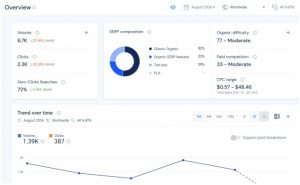
You can then connect those insights with your on-site data. If AI tools rarely mention a best seller, improve your product page content and structured data.
Adobe found that individual product pages are the least machine-readable retail pages, averaging a 66% visibility score. This post on AI-powered content optimization explains how to structure pages for AI search.
Action tip: List 10 questions shoppers ask before buying your product. Check which AI answers mention your brand today.
6. Automate Lifecycle Messages With Behavioral Triggers
Timing is crucial because it turns good data into revenue. A message sent as soon as a buyer abandons their cart always helps rather than sending generic newsletters days later. Behavioral triggers let your store respond to each customer action automatically.
Focus first on developing the flow of messages for a particular action. These include welcome series, browse abandonment, cart recovery, post-purchase, and win-back emails. Each one should be written in a personalized way by aligning with the customer data, such as viewed products, past orders, and segments.
For a step-by-step plan, follow this email marketing automation roadmap built for scaling Shopify stores.
Keep frequency in check. Too many messages feel intrusive, even when they are relevant. A simple rule is to send one helpful message per clear trigger, then pause.
Action tip: Add a shopper’s last viewed product to your browse abandonment email. Test it against your current version for two weeks.
7. Earn Trust With a Clear Data Value Exchange
The success of these tactics depends partly on your customers’ willingness to share data. Privacy concerns keep rising, yet many people still trade data for real benefits.
A Press Ganey Forsta survey states that most consumers are willing to share their personal data, provided it leads to more personalized and rewarding experiences.
The keyword is rewarding. According to Gartner analyst Halle Stern, generic discounts are no longer enough. Instead, she advised tailoring benefits to what each customer group values. “It’s all about understanding customer personas,” she explained.
So, tell shoppers what they get in return. For example, explain that a style quiz unlocks better size picks and faster browsing. Keep your privacy policy simple, honor opt-outs quickly, and collect only what you will use.
Action tip: Rewrite your signup form copy to state one clear benefit of sharing preferences.
Put Customer Data to Work
Customer data becomes valuable only when it changes what buyers see and receive. Start by grouping customers by behavior, then personalize discovery and patterns around real buying patterns.
Next, use feedback to find hidden issues and AI visibility to understand discovery. Finally, automate timely messages and earn trust through a fair value exchange.
You do not need to do everything at once. Pick one action tip from this guide and test it for two weeks. After that, measure its impact on conversion, AOV, and repeat orders. With time, these small wins should add up to a store that feels personal and sells more.
Ready to put your customer data to work? Secomapp builds Shopify apps for brands to boost sales, improve SEO, and create better shopping experiences. Explore the full suite of Shopify solutions and find the right tools for your store.
Authors:
Himaan Chatterji

Himaan Chatterji is a B2B SaaS content strategist and co-founder of Confiscore.com. When AFK, he is either latin dancing or cooking.