
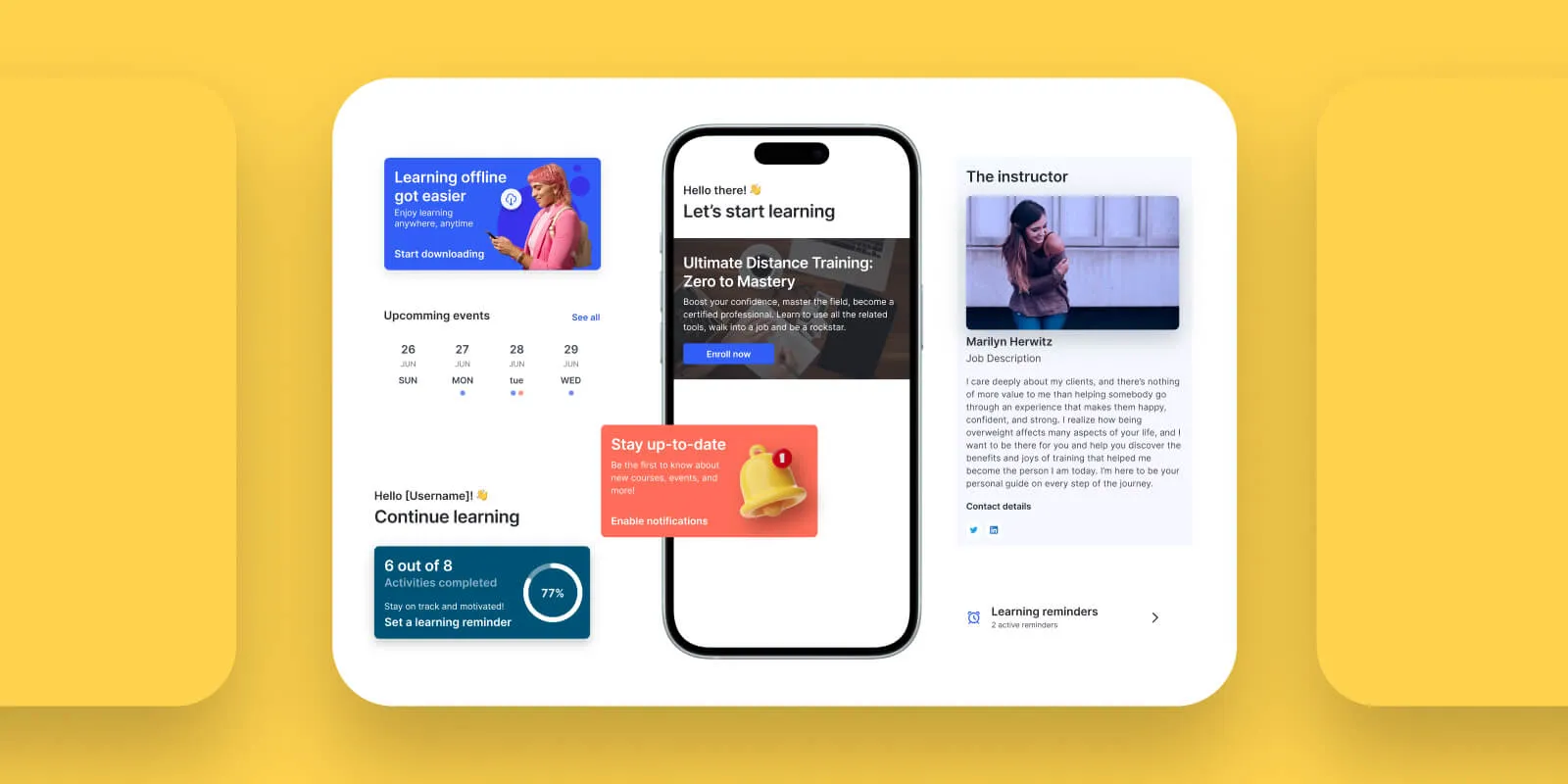
People shop on their phones now. Not “mostly” or “increasingly” just, that’s where it happens. Most Shopify stores get the bulk of their traffic from mobile, and yet a huge chunk of that traffic never buys anything. A few years ago, having a mobile-friendly website was enough. It isn’t anymore, and that’s exactly why more merchants are turning to a Shopify mobile app builder instead of just patching up their mobile site.
Mobile web pages are slow compared to apps. They get buried under ten other open tabs. And they can’t buzz someone’s phone the second their cart sits abandoned for twenty minutes. A native app sits right there on the home screen. It sends a notification straight to the customer, no algorithm deciding whether it’s worth showing. That’s the whole reason brands with a mobile app tend to see better repeat purchase numbers and lean less on paid ads to survive.
So what’s a Shopify mobile app builder, actually? Why does it matter for a store that’s trying to grow? And which one should you actually pick? That’s what this guide covers five real options, what they cost, and who each one fits.
What Is a Shopify Mobile App Builder?
What Does A Shopify Mobile App Builder Do?
Think of it as a translator between your Shopify store and a real, installable app. You don’t write code. The builder pulls your products, collections, inventory, and customer accounts straight from Shopify and keeps them synced automatically.
Most of these tools give you a drag-and-drop editor, pick a layout, set your brand colors, and arrange the home screen roughly the way you’d arrange sections in a Shopify theme. Once you’re happy with it, the builder does the unglamorous part: packaging the app, submitting it to Apple and Google, and pushing updates whenever Shopify or the app stores change their rules.
None of that is the real point, though. The real point is what the app unlocks once it’s live free push notifications, faster load times, saved payment info, a direct line to repeat customers that doesn’t depend on an algorithm or an inbox.
Mobile App Builder Vs Custom Mobile App Development
There are really two ways to get a mobile app for your store.
Option one: hire developers and build it from scratch using Shopify’s API. You get total control over every screen and feature. You also get a bill somewhere between $50,000 and $200,000, plus months of waiting, plus an ongoing dev team just to keep the thing running as Shopify and the app stores change underneath you.
Option two: use a no-code builder. You live in days or weeks instead of months, at a fraction of the cost, using templates and drag-and-drop tools instead of custom engineering. The trade-off is you’re working inside someone else’s design system rather than building whatever you dream up.
For almost every Shopify merchant, option two wins. Custom development only starts to make sense once you’ve outgrown what a builder can offer and that’s a much smaller group of stores than most people think.
Benefits of Using a Shopify Mobile App Builder
- It converts better than mobile web: Apps load faster because a lot of the interface is already stored on the phone instead of being rebuilt from a server on every tap. They also remember saved cards and addresses, so checkout is one tap instead of five. That’s the difference between someone finishing an order and someone giving up halfway through.
- Push notifications are basically free: SMS costs money per message. Email fights its way through spam filters. A push notification costs nothing extra once you’re paying for the app, you can send an abandoned cart reminder to ten thousand people and it doesn’t cost a cent more than sending it to ten.
- People come back more often: An app icon sitting on someone’s home screen gets noticed in a way a bookmarked website never does. Opening an app takes one tap. Finding your site again in a crowded browser takes effort and effort is exactly what most people won’t bother with.
- You spend less chasing customers with ads: Every push notification you send to an existing app user is a free marketing message. As ad costs on Meta and Google keep going up, that matters more every quarter, not less.
- Everything stays in sync automatically: Change a price or update inventory in Shopify, and it shows up in the app right away. No copying data between two systems, no risk of selling something that’s actually out of stock.
- Loyalty and subscriptions get a real home: Most builders connect to tools like Loyalty Lion, Smile.io, or Recharge. Instead of burying a loyalty page in your site’s footer, customers can check their points or manage a subscription from the same screen they browse products on.
Best Shopify Mobile App Builders in 2026
We evaluated the leading Shopify mobile app builders based on features, pricing, customization, ease of use, integrations, support, and overall value to help you choose the right solution for your store.
1. Vegacart – Mobile App Builder
Rating: 5/5 ⭐⭐⭐⭐⭐ | Unlimited push notifications, Developer account & Free migration with prior support

Vegacart turns your Shopify store into a fully working iOS and Android app without needing any coding or design experience. The whole thing runs on a simple drag and drop builder with live preview, so you can design your app and watch every change update instantly. It is genuinely one of the easiest ways for a Shopify brand to go from just a website to a real mobile presence.
Switching over is not a hassle either. Vegacart offers free migration if you are coming from another app builder, and they even provide the developer accounts needed to publish your app on the App Store and Google Play, so you are not stuck figuring that part out on your own. The whole process feels guided rather than something you have to piece together yourself.
Pricing stays affordable at every stage, and the team behind Vegacart comes from a Shopify Plus agency background, which shows in how well they understand the needs of growing and larger brands. Support does not stop once your app is live either. From the first build to ongoing updates after launch, there is always someone actually helping.
Features
- Drag and Drop Builder With Live Preview: Design your app visually and see every change update in real time, no coding and no guesswork.
- Free Migration: Move over from Tapcart, Shopney, or any other platform without losing your setup or starting from scratch.
- Developer Accounts: They provide the Apple and Google developer accounts needed to publish your app, so you skip the setup hassle.
- Unlimited AI Powered Push Notifications: Send unlimited notifications with AI assisted targeting to bring customers back without extra ad spend.
- Integrations: Connects with tools like Klaviyo, Loyalty Lion, Recharge, and Yotpo to fit right into your existing stack.
- Backed by Shopify Plus Agency: Built by a team with real Shopify Plus agency experience, making it a strong fit for growing and enterprise brands.
- In-App Analytics Dashboard: Track everything from installs and active users to sales and engagement, giving you both the essentials and deeper performance data in one place to see exactly how your app is doing.
- End to End Support: Real support from the first build through launch and every update after, not just during onboarding.
Merchant use cases
This one tends to fit DTC brands and growing Shopify stores that want to lean less on paid ads and build something closer to a repeat-purchase machine. It also shows up a lot as the landing spot for merchants leaving a pricier builder without wanting to lose functionality on the way out.
Pricing
- Free – Drag-and-drop editor, free design blocks, search and filters, bottom navigation, real-time sync, live chat and email support
- Grow ($199/month, or $2,029/year) – Push notifications, custom brand colors, native iOS and Android app, 2 standard + 1 premium integration, 5 custom screens
- Scale ($499/month, or $5,389/year) – Everything in Grow, plus unlimited automated notifications, 5 custom blocks, multi-language and multi-currency, 10 custom screens, 5 standard + 3 premium integrations
- Enterprise ($999/month, or $10,789/year) – Everything in Scale, plus premium blocks, AI-suggested push notifications, unlimited custom screens and integrations, dedicated account manager
Pros
- A free plan that actually includes real-time sync and unlimited push notifications, not just a stripped-down demo
- Free migration help if you’re coming from another builder
- Support consistently praised as fast and responsive in reviews
- The “Built for Shopify” badge backs up the performance claims
- Flat, predictable pricing no revenue share, no success fees
Cons
- Advanced customizations may require expert support
Best fit
Vegacart is one of the best Shopify mobile app builders for DTC brands on Shopify and Shopify Plus. It offers all the features needed to build a native mobile app for Android and iOS. It’s backed by a Shopify Plus agency, so you don’t need to worry about customization; they have 50+ Shopify experts ready to help you.
2. Appbrew
Rating: 5/5 ⭐⭐⭐⭐⭐
Appbrew builds on React Native and leans hard into AI, aiming squarely at established DTC brands that want speed and personalization out of the box. Its AI assistant, Milo, helps merchants launch faster and automate campaigns.
Best for: Established DTC brands with the budget for a premium builder and enough traffic to make that spend worth it.
Features
- React Native Performance: Built on a React Native architecture, giving the app a fast, near-native feel that stands out on load times.
- AI Assistant for Campaigns: Milo, its built-in AI assistant, helps merchants launch faster and automate marketing campaigns without extra manual work.
- Native Video Shopping: Supports in-app video shopping experiences, letting brands sell directly through video content inside the app.
- Deep Integration Library: Connects with 100+ third-party tools, giving established brands room to plug in whatever their stack already runs on.
Pros
- Genuinely fast, native-feeling performance
- Strong AI-driven personalization and campaign tools
Cons
- Entry pricing sits noticeably above most other options here
- Lower plans cap you around 10 integrations
- The advanced CMS can be a lot for a non-technical team to learn
Pricing: Starts around $499/month, with an Enterprise tier at $999/month and custom pricing above that.
3. Tapcart
Rating: 4.7/5 ⭐⭐⭐⭐⭐

Tapcart is one of the more established names in this space. It’s often one of the first builders merchants come across, especially larger and mid-market brands, and it holds a rating between 4.6 and 4.8 across its reviews.
Best for: Mid-market and enterprise brands that want a mature, proven platform with real hand-holding during onboarding.
Features
- Drag and Drop App Studio: A visual builder for designing your app’s layout, homepage, and navigation without needing a developer.
- Real Time Shopify Sync: Products, inventory, and pricing update in the app the moment they change in Shopify.
- AI Written Push Notifications: TapAI helps generate notification copy automatically, saving time on campaign creation.
- Custom Code Blocks: Teams that want more control can extend the app using custom code blocks beyond the standard templates.
Pros
- The most established platform here, with the deepest bench of integrations
- Genuinely strong support, including account managers on higher tiers
- Custom code blocks give you room to go beyond the standard templates
Cons
- One of the pricier options once you factor in the success fee
- Some merchants report getting stuck in 12-month contracts
- A few reviewers say the Android app feels less polished than iOS
Pricing: Paid plans start around $500/month and climb to $2850/month on Enterprise, plus a success fee of roughly 1.75%–2.5% of in-app sales on top of the base price.
4. Shopney
Rating: 5/5 ⭐⭐⭐⭐⭐

Shopney’s whole pitch is speed. It focuses on getting an app live fast, with a support team that stays involved through the process. It’s rated around 5.0 stars across roughly 740+ reviews, one of the higher ratings in this category, and it tends to be popular with fashion and beauty brands.
Best for: Small to mid-sized stores that want a quick, guided launch without much of a learning curve.
Features
- Industry Specific Themes: Comes with ready made themes built around specific store types, making the design process faster from day one.
- Unlimited Push Notifications on Every Plan: Every tier, even the entry level one, includes unlimited push notifications with no extra cost.
- In App Live Chat: Lets customers get real time support directly inside the app instead of switching to email or a website.
- AR and Live Selling: Higher tiers unlock augmented reality features and live selling, useful for brands wanting more interactive shopping experiences.
Pros
- Probably the fastest time-to-launch of everything on this list
- Support gets brought up constantly in reviews as the reason people stay
- Flat monthly pricing, no revenue share, no success fees
Cons
- Doesn’t carry the “Built for Shopify” badge
- Full design customization and loyalty integrations (Smile.io, LoyaltyLion) are locked behind the $599/month Platinum plan
- Product, cart, and checkout screens use fixed layouts — the homepage is the only part with real design freedom
Pricing: Silver at $149/month, Gold at $299/month, Platinum at $599/month, Enterprise at $1,299/month.
5. Plobal Apps
Rating: 5/5 ⭐⭐⭐⭐⭐
Plobal has been competing in the same space as Tapcart for years, aiming at mid-market and growing brands with more focus on retention than flashy design. Its analytics are a genuine strength, and it’s one of the few builders offering both a flat subscription and a revenue-share pricing model.
Best for: Merchants who care more about analytics depth than visual polish, and who are willing to spend time optimizing what the data tells them.
Features
- AI Product Recommendations: Surfaces personalized product suggestions to shoppers, aimed at lifting average order value.
- User Segmented Push Notifications: Notifications can be targeted to specific customer segments rather than sent as one blanket message.
- Real Time Shopify Sync: Keeps app content, pricing, and inventory aligned with the Shopify store automatically.
- Flexible Pricing Models: Offers both a flat subscription and a revenue share option, giving merchants more choice in how they pay.
Pros
- Analytics that actually help you make merchandising decisions, not just vanity metrics
- The revenue-share option is useful if you’d rather not commit to a big flat fee upfront
- AI product recommendations can genuinely lift average order value
Cons
- No “Built for Shopify” badge
- Abandoned cart and scheduled notifications arguably the most useful types are reserved for pricier plans
- A few reviewers mention the documentation is hard to navigate
Pricing: Growth plan starts at $199/month with four standard integrations, up to $499/month for Essential, and $1,199/month for Enterprise with unlimited advanced integrations.
What to Check Before You Commit to a Builder
Before you sign up for anything, it’s worth digging past the pricing page for a few things that actually determine what you’ll pay and how much hassle you’ll deal with.
- Ask about success fees up front: Tapcart and Plobal both layer a percentage fee on top of the base subscription. A $250/month plan with a 2.5% success fee can end up costing more than a flat $499/month plan once your app starts actually selling things.
- Read the fine print on which plan unlocks which feature: Nearly every builder advertises “unlimited push notifications” on its homepage. What they don’t put in bold is that the useful kind of automated cart recovery, AI-segmented campaigns is often locked to a mid or top tier. Check the plan comparison table line by line, not the headline number.
- Budget for Apple and Google fees separately: Every builder on this list requires your own Apple Developer account ($99/year) and Google Play Developer account ($25 one-time). These go straight to Apple and Google no builder waives them.
- Figure out if you’ll be doing design work twice: Tapcart, Shopney, and Plobal all use a separate app editor from your Shopify theme editor. Change a homepage banner on your site, and you’ll need to change it again inside the app builder. Vegacart’s real-time sync cuts down on this for product and inventory data, though layout changes still happen in its own editor too.
- Check the contract length, not just the sticker price: A few merchants have complained about getting locked into 12-month Tapcart contracts. Paying a bit more per month with the freedom to walk away is often the smarter trade.
Comparison Table
| App | Entry Price | Best For |
| Vegacart | Free (paid from $199/mo) | Growing & Established DTC brands wanting flat pricing |
| Appbrew | From $499/mo | Established brands needing native performance |
| Tapcart | From ~$500/mo + success fee | Mid-market and enterprise brands |
| Shopney | From $149/mo | Small to mid-sized stores wanting fast launch |
| Plobal Apps | From $199/mo (or revenue share) | Data-driven merchants focused on analytics |
Which Shopify Mobile App Builder is Best for Your Business?
Just testing the waters? Vegacart gets you a working app with real-time sync, no money down. Hard to beat that as a starting point, and it’s a big part of why merchants keep pointing to it in discussions on the Shopify Community when this exact question comes up.
Tight budget, small team, want something to live fast? Shopney’s $149/month Silver plan is one of the cheapest ways in, and the support team does a lot of the heavy lifting for you.
Already big, already have a marketing team, want the most mature toolset? Appbrew or Tapcart give you the deepest ecosystems; you’ll just pay a lot more for them.
Care more about the numbers behind the app than how pretty it looks? Plobal’s analytics and flexible pricing might matter more to you than a slick homepage editor.
There’s no single “best” here. It really comes down to your traffic, your budget, and how much hand-holding you want during setup.
This placement works well because it’s the section where a reader is actively deciding, so a real community mention right at the Vegacart recommendation reinforces the pick without feeling forced.
Final Thoughts
A mobile app isn’t optional anymore for any Shopify store that leans on repeat customers. The real question was never “should I build one.” It’s “which builder fits where I am right now.”
If you’re smaller or newer, start with something that has a real free tier and pricing you can actually predict that’s Vegacart’s whole pitch, and it removes the financial risk of just trying the channel out. If you’re already big with a team behind you, the extra cost of Tapcart or Appbrew tends to buy back deeper integrations and sharper personalization, which is worth it at that scale.
Whichever one you pick, treat the app like a retention channel, not a box to check off. The stores that actually see returns are the ones sending relevant notifications, keeping the design current, and treating the app with the same seriousness as their main store.
FAQs
Do I need to know how to code to build a Shopify mobile app?
No. Every builder here Vegacart, Appbrew, Tapcart, Shopney, Plobal runs on a no-code, drag-and-drop editor. You design visually, and the platform handles the packaging and app store submission behind the scenes. A few offer custom code blocks for people who want to go further, but you’ll never need them just to launch.
What does it actually cost to get a Shopify mobile app live?
Anywhere from free (Vegacart’s entry tier) to $1,000+ a month for enterprise plans. On top of whatever the builder charges, you’ll need your own Apple Developer account ($99/year) and Google Play Developer account ($25 one-time). Those are Apple’s and Google’s fees, not the app builder’s nobody gets to skip them.
Will adding a mobile app slow down my actual website?
No. These builders connect through Shopify’s API and pull data one direction, from your store into the app. Your storefront theme and load speed stay completely untouched.
What if I don’t have a developer account for Apple or Google?
That’s fine, you don’t need to set one up on your own before you start. Most builders will walk you through creating one, but a few, like Vegacart, actually provide the developer accounts for you and handle the App Store and Google Play submission on your behalf. That’s worth checking before you sign up, since it can save you a genuinely annoying setup step, especially if you’ve never published an app before.
How long does it take to actually launch?
Depends on the builder and how much customization you want. Shopney advertises launches within days using ready-made themes. Something more custom, especially with Appbrew or Tapcart’s deeper integrations, can take a few weeks. A fully custom-coded app built from scratch is a different story entirely, think months, not weeks.
Do push notifications really move the needle, or is that just marketing talk?
They genuinely tend to outperform email and SMS because they’re free to send at any volume and don’t get caught in spam filters. Plenty of merchants report real lifts in repeat purchases and cart recovery after turning on automated push campaigns. That said, sending too many irrelevant notifications backfires people who uninstall apps that spam them, so segmentation matters more than sheer volume.